Here’s Some Working Code to Sort One Million 8-Digit Numbers in 1MB of RAM

October 25, 2012

Earlier this week, this Stack Overflow question was featured on Reddit under /r/programming. Apparently, it was once a Google interview question — or at least, a variation of one:

You have a computer with 1M of RAM and no other local storage. You must use it to accept 1 million 8-digit decimal numbers over a TCP connection, sort them, and then send the sorted list out over another TCP connection. The list of numbers may contain duplicates, which you may not discard. Your code will be placed in ROM, so you need not subtract the size of your code from the 1M. You have been given code to drive the Ethernet port and handle TCP/IP connections, and it requires 2k for its state data, including a 1k buffer via which your code will read and write data.

The challenge here, of course, is that you can’t fit all the data in memory as raw integers. There are 100 million possible 8-digit decimal numbers, so even if you pack each number into 27 bits (227 = ~134 million), that would take 3375000 bytes of storage. The hypothetical machine available to you has only 1048576 bytes of storage. At first glance, it seems to defy the laws of mathematics.

The question received enough attention that a lot of people proposed solutions on Stack Overflow and in the Reddit discussion, but so far, nothing that runs. There’s some code for a solution which doesn’t work, many proposals without code, and some hilarious out-of-the-box answers. A lot of answers come close, but won’t work on every possible input.

In thinking about this problem, it occurred to me that I’ve already written a blog post containing a clue which leads to the ideal solution. I won’t give away which post, but after that, I couldn’t resist cobbling together a working implementation in C++.

The source code listing is just 339 lines with very few comments. I thought I’d post it here to see if anybody can figure out which algorithm was used:
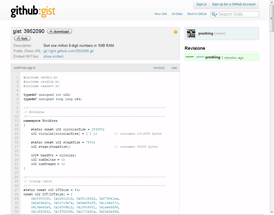
Proof that the memory constraints are satisified:

typedef unsigned int u32;

namespace WorkArea
{
    static const u32 circularSize = 253250;
    u32 circular[circularSize] = { 0 };         // consumes 1013000 bytes

    static const u32 stageSize = 8000;
    u32 stage[stageSize];                       // consumes 32000 bytes

    ...

Together, these two arrays take 1045000 bytes of storage. Tack on the hypothetical 2KB overhead for the TCP connection, and you’re left with a healthy margin of 1048576 – 1045000 – 2×1024 = 1528 bytes for remaining variables and stack space.

It runs in about 23 seconds on my Xeon W3520. You can verify that the program works using the following Python script, assuming a program name of sort1mb.exe. See if you can find any inputs which break it!

from subprocess import *
import random

sequence = [random.randint(0, 99999999) for i in xrange(1000000)]

sorter = Popen('sort1mb.exe', stdin=PIPE, stdout=PIPE)
for value in sequence:
    sorter.stdin.write('%08d\n' % value)
sorter.stdin.close()

result = [int(line) for line in sorter.stdout]
print('OK!' if result == sorted(sequence) else 'Error!')

I submitted this answer to the Stack Overflow question, but it’s pretty late to the party. Update: You’ll find a detailed explanation in my next post, 1MB Sorting Explained.

Nick Cleaton originally proposed the currently accepted solution. His approach is different, and not in any runnable form, but the idea also looks valid.

27 Comments

  • Reply chanux on October 25, 2012

    I’m leaving this comment to let you know that I am interested in a detailed explanation :) . Thank you

  • Reply pierre on October 25, 2012

    i’m really interested in explanation. many thanks

  • Reply Shannen Saez on October 25, 2012

    I’m very curious too, but it uses 3 megabytes on my machine (compiled with msvc 2010).

  • Reply Oscar Toledo G. on October 25, 2012

    Plain amazing. You take the entry in blocks until you fill the buffer, sort the buffer and save it in compressed form as deltas, resorting with insertion as needed. :) Great algorithm!

  • Reply Giovanni Bajo on October 25, 2012

    You fetch numbers into the staging area, sort them, and then merge them into the “state”. The “state” is a buffer of deltas between the sorted numbers that have been arithmetic encoded; you’re probably using one specific type of arithmetic encoding, but I don’t recognize it off the top of my head. The “state” is then kept in a circular buffer because it would be impossible to merge deltas in-place since the state is getting bigger and bigger.

    The basic idea you’re exploiting is that the most efficient way to compress an unordered set of numbers which are well distributed across a domain is to sort them and numerically compress the deltas (arithmetic encoding is one way, but also stuff like Golomb coding would probably work if the numbers are well distributed).

    • Reply Jeff Preshing on October 25, 2012

      You got it dude. It’s arithmetic encoding. High five! The interesting thing for me is that it seems to use almost the exact same amount of storage no matter what pattern the sorted sequence follows, unlike other coding schemes which have best/worst case for storage space. I’ve never heard of Golomb coding though.

  • Reply Ben Wilhelm on October 25, 2012

    Dang, didn’t quite get here in time :V Well I wrote this up for Reddit, may as well repost it here:

    I think I’ve figured it out.

    The core of it is a merge cycle, like you’d expect. It reads 7500 numbers in normal u32 format, sorts them, and then merges them with a highly-compressed database, reading the database from beginning to end while rewriting it, and inserting new numbers as it goes.

    The database is, of course, the clever part. First, the database stores only deltas, not absolute numbers. The sequence “0 1000 2000 3000 4000″ would effectively be stored as “1000 1000 1000 1000″. These deltas are unpacked, then re-packed, as part of the encoders and decoders. Yes, this means the database is incapable of storing unsorted numbers, but this is an obvious optimization.

    Second, the database breaks each number into 6-bit segments and stores them as a series of 6-bit values. The number “17″ is represented simply as “17″. Numbers equal to or larger than 63 are stored as a series of 63′s, followed by a non-63 number. You know you’ve reached the end of the number when you reach something that isn’t a 63. So, a few example translations:

    0: 0
    70: 63 7
    200: 63 63 63 11
    64: 63 1
    126: 63 63 0

    Finally, those numbers aren’t stored in a simple binary packed representation, they’re stored using what is basically a hardcoded arithmetic encoding table. I assume the sizes have been carefully calculated to always fit the data within the available bits. LUT contains the actual ranges that each character occupies, starting from 0×00000000 and ending at an implicit 0xffffffff after the end of the array. Assuming I’m doing my math right (someone doublecheck me on this – I think the right formula is 32-log(end-start)/log(2), at least it’s giving numbers that sound right) the “0″ character ends up using an effective ~6.65 bits of storage, gradually increasing up to the “62″ character which uses an effective ~7.55 bits of storage, and the possible-worse-case “63″ character is tuned to use only ~0.91 bits.

    The end result is that each stored number must use at least 6.65 bits, in the case where you have a bunch of duplicate numbers, and an obvious potential worst-case – an “array” of a million 10,000,000s – uses roughly 10,000,000/63*0.91+1,000,000*6.65=6,794,445 bits, well under the available 8,104,000 bits in the circular buffer. I suspect the real worst-case is something much more evenly distributed but I’ll give the author faith and assume he’s calculated the deltas so that the worst-case is under the limit.

    The last question you might ask is “how is it that we can write to the buffer at the same time we’re reading from it”, but that’s why it’s a circular buffer – we don’t write it from the *front* each time, we just keep writing and reading in a giant circle. At any point there are two partial-databases in memory – the new one that’s being written from the front to the back, and the old one that’s being overwritten as it goes, at the same time as it’s read. As long as no individual set of staged numbers is in danger of inflating the front of the new database to the point where it reaches the current read point in the old database, everything will work just fine.

    • Reply Jeff Preshing on October 25, 2012

      Exactly. Well done. Though, I did experiment both with sequences of random numbers, and a sequence containing a million 99999999′s. They used the same amount of peak storage space in the circular buffer.

      The part I’m still planning to expand on is how the arithmetic encoding is implemented.

      • Reply Ben Wilhelm on October 25, 2012

        Yeah, I kinda glossed over that – I definitely recognize it, and I’m pretty sure I could implement it if needed, but I sort of considered it a “oh, yeah, it’s an integer implementation of arithmetic encoding, cool” moment.

        Quite well done, btw :)

    • Reply Ben Wilhelm on October 25, 2012

      I’m totally going to steal Jeff’s thunder here and copy my writeup from Reddit:

      A somewhat informal semi-proof that 8,104,000 bits is enough:

      Imagine a worst-case where you have a million numbers, each of which is 62 larger than the previous number. This uses 7.55*1000000 bits of storage, or 7,550,000.

      We’re only up to 62,000,000 and we need to have a range of 100,000,000, so let’s sprinkle +63′s around until we reach our goal. That’s 603175 63′s, each of which is 0.91 bits, so we’ve got an extra 548,889 bits, for a total of 8098889 bits. (Still under our limit! ~~hoorj~~)

      Now we’ve accounted for all of our value, so we can’t add any more, just rearrange it. But there’s an interesting property here! Let’s ignore the alphabet for now and just count this in terms of bits-per-number. A zero is 6.65 bits. A 62 is 7.55 bits. A 63 is 0.91+6.65 bits, or 7.56 bits. See what’s happening here? It turns out that we use a roughly constant number of bits every time we add one to a number, and we reclaim that same number of bits every time we subtract one.

      In the end, I estimate that the storage uses about “number_count*6.65+total_range*0.0144″ bits of data. Since we have one million numbers, over a range of ten million values, we can calculate that our storage will always use about 8,090,000 bits.

      Which makes me think I screwed up my original estimate of 6,794,445 bits for the obvious worst-case – turns out, *yep, I did*, because the range is actually one *hundred* million values, not *ten* million. So. Always nice when further introspection lets you find your own fuckups :V

      I’m assuming this is roughly how the LUT was generated. Given that each value must have a linearly increasing amount of the bitspace, and each value *besides 63* must come with an additional “terminator” signal of fixed size, we can attempt to minimize the size of storing 100,000,000 values along with 1,000,000 terminators, assuming the order is (roughly) irrelevant. (That’s the real trick here, btw – we’re not storing a 64-character alphabet at all! We’re storing a 2-character alphabet, “value” and “terminator”, and the whole 64-character thing is just an optimization.)

      From here my knowledge of arithmetic encoding and logarithms kind of fails me, because I’m pretty sure I can derive the provided LUT from these numbers, but I’m kinda losing track of how and I need to get to work. But I’ll keep mulling it over :V

      —-

      Never mind work, I think I’ve got it!

      Pretend we’re ordering this on a [0,1) numberline. Since V is 100 times as common as T, we give it 100 times as much of the numberline. [0-0.99009900) is V, [0.99009900-1) is T. Taking the base-2 logarithm of the reciprocal of the range, log(1/R) tells us how many bits each character represents. V=log(1/0.99009900)/log(2)=0.01435, T=log(1/(1-0.99009900))/log(2)=6.6582. Refer that to my original analysis of the LUT:

      > the “0″ character ends up using an effective ~6.65 bits of storage, gradually increasing up to the “62″ character which uses an effective ~7.55 bits of storage, and the possible-worse-case “63″ character is tuned to use only ~0.91 bits.

      6.6582 is close enough to my “0″ estimate, 6.6582+0.01435*62=7.5479 which is close enough to my “62″ estimate, and 0.01435*63=0.90405 which is close enough to my “63″ estimate. Plus or minus some off-by-one errors or rounding errors on both of our parts, I know I haven’t been trying to be 100% accurate here.

      Alright! Last mystery solved, I’m happy, off to work. Thanks for the fantastic puzzle, Jeff :D

      • Reply Jeff Snyder on November 2, 2012

        I’m a bit late to the game here, but oh well.

        Not understanding how the LUT was generated was starting to bother me, so I had a go at generating one building on Ben’s answer, and wrote up how on reddit: http://www.reddit.com/r/programming/comments/122b3b/heres_some_working_code_to_sort_one_million/c6vl6lh

        But I’m still curious as to how the original table was generated, because mine’s not exactly the same, just very close. I can tweak the range on my LUT generator to make it spit out the same values, so the method must be basically the same.

        I’m still happy with the LUT I generated because it results in an encoding 2.25 bytes smaller than the one in the code, or 4 bytes smaller after flush() :-)

        Anyway, as Ben said.. thanks for the puzzle!
        - Je4d

        • Reply Jeff Preshing on November 5, 2012

          In the original table, I estimated the probability of each delta value by modelling the sorted sequence as a Poisson process.

          Since then, I realized that by modelling it as a discrete process instead, the LUT yields slightly better compression (which is I guess what you discovered too), and it’s easier to explain. I’ve since ninja-edited the source code to use this improved LUT.

          • Jeff Snyder on November 5, 2012

            I actually arrived at it in a rather roundabout way. For some reason my reddit post is invisible to all but me, unless you view it via my user page (http://reddit.com/user/je4d). My working is on google docs at http://dft.ba/-sort1mil.

            I modelled it as 2 symbols (i.e. your dots/empty boxes), derived the bit lengths for each, then calculated the length in bits that each symbol should have as len(dot) + n*len(empty). I mapped those back to probabilities and projected onto u32.

            It’s the same as the discrete process in your post, just less elegantly generated. Your new LUT is identical to the one I got

  • Reply Andy Mull on October 25, 2012

    It looks like a lot of other readers have gotten the solution before I saw it…but I’m happy to say after a few minutes of reading the code [especially the encode and decode] it hit me: “He’s using deltas to save space! Man, I thought that died out with sprite animations and games on floppies…”

    Very clever sir, very clever indeed. At first I thought maybe you were converting them to something like radians, which would’ve given a compression ratio of 180:pi but would be prone to rounding errors.

    • Reply Jeff Preshing on October 25, 2012

      Thanks, but lots of people pointed out the advantage of converting to deltas on Stack Overflow and Reddit. I’m pretty sure I read it there first, before realizing that arithmetic coding would work well on them.

  • Reply Mando on October 26, 2012

    I really wonder why people are not suggesting a simple counting sort, with a bit vector instead of a full array?

  • Reply Barry Kelly on October 28, 2012

    I’m curious about this bit:

    inline int u32Compare(const u32* a, const u32* b) { return *a – *b; }

    How do you figure that works for u32Compare(0, 4000000000U)?

    It’s a minor nit though.

    • Reply Jeff Preshing on October 28, 2012

      The arguments are pointers, as required by qsort, but I see your point. To be honest, I didn’t even think of it. It won’t work for such large values, but it works for the 8-digit numbers we deal with in this problem.

  • Reply Zac Salwasser on October 29, 2012

    The total “pool” of delta is 99,999,999.

    Since we need to store a baseline number, or the deltas are meaningless, we might as well assume a baseline of 0, meaning there are 1,000,000 deltas for 1,000,000 numbers.

    If 999,999 deltas are 64 (requiring 8 bits per delta), then the 1,000,000th delta can be as high as 36,000,063.

    The arithmetic encoding you’ve chosen requires 571,429 + 7 bits to store the number 36,000,063, or 71,430 bytes.

    999,999 bytes are required to store the “deltas of 64″.

    999,999 + 71,430 = 1,071,429 bytes, which is more than 1,048,576 (but not by much).

    What am I missing? I admit, I don’t understand the role the lookup-table plays in your encoding.

    • Reply Zac Salwasser on October 29, 2012

      I deliberately chose 64 to “waste” as much of the 8-bit number space as possible. I guess you’ve figured out how to use the “wasted” space?

    • Reply Jeff Preshing on October 29, 2012

      I think you might have mistaken the alternate encoding (which I described here only for comparison’s sake, but didn’t actually use) for arithmetic encoding. Within that alternate encoding, you also seem to have mistaken the bits needed to represent a delta of 36000063: each leading 1 increments by 64, not 63 (which is the only way I can imagine you arrived at 571429 bits).

      The real explanation of arithmetic encoding is coming in the next post.

      • Reply Zac Salwasser on October 29, 2012

        Sorry, I misspoke when I called it “arithmetic encoding” … I should have just referred to it as “an” encoding. You’re also right about my math being slightly of, but the alternate encoding can still be coerced to use more than 1MB when the right deltas are given.

        My real point was to wrap my head around the notion that if you are using 7 bits to represent 6.25 bits of data, the “waste” can add up and blow your budget.

        However, I can not yet wrap my head around the notion of utilizing “partial” bits. Hopefully your next explanation post can elucidate.

      • Reply Zac Salwasser on October 29, 2012

        Your “alternate” encoding, by the way, was considerably better than anything I came up with .. I was stuck around 9 bits per delta, but I don’t think I had really grasped that there was an absolute amount of delta to be distributed in a zero sum manner.

Leave a Reply