Here’s a followup to last month’s post about Penrose Tiling in Obfuscated Python.
The Mandelbrot set is a traditional favorite among authors of obfuscated code. You can find obfuscated code in C, Perl, Haskell, Python and many other languages. Nearly all examples render the Mandelbrot set as ASCII art.
The following Python script, on the other hand, begins as ASCII art:
_ = (
255,
lambda
V ,B,c
:c and Y(V*V+B,B, c
-1)if(abs(V)<6)else
( 2+c-4*abs(V)**-0.4)/i
) ;v, x=1500,1000;C=range(v*x
);import struct;P=struct.pack;M,\
j ='<QIIHHHH',open('M.bmp','wb').write
for X in j('BM'+P(M,v*x*3+26,26,12,v,x,1,24))or C:
i ,Y=_;j(P('BBB',*(lambda T:(T*80+T**9
*i-950*T **99,T*70-880*T**18+701*
T **9 ,T*i**(1-T**45*2)))(sum(
[ Y(0,(A%3/3.+X%v+(X/v+
A/3/3.-x/2)/1j)*2.5
/x -2.7,i)**2 for \
A in C
[:9]])
/9)
) )
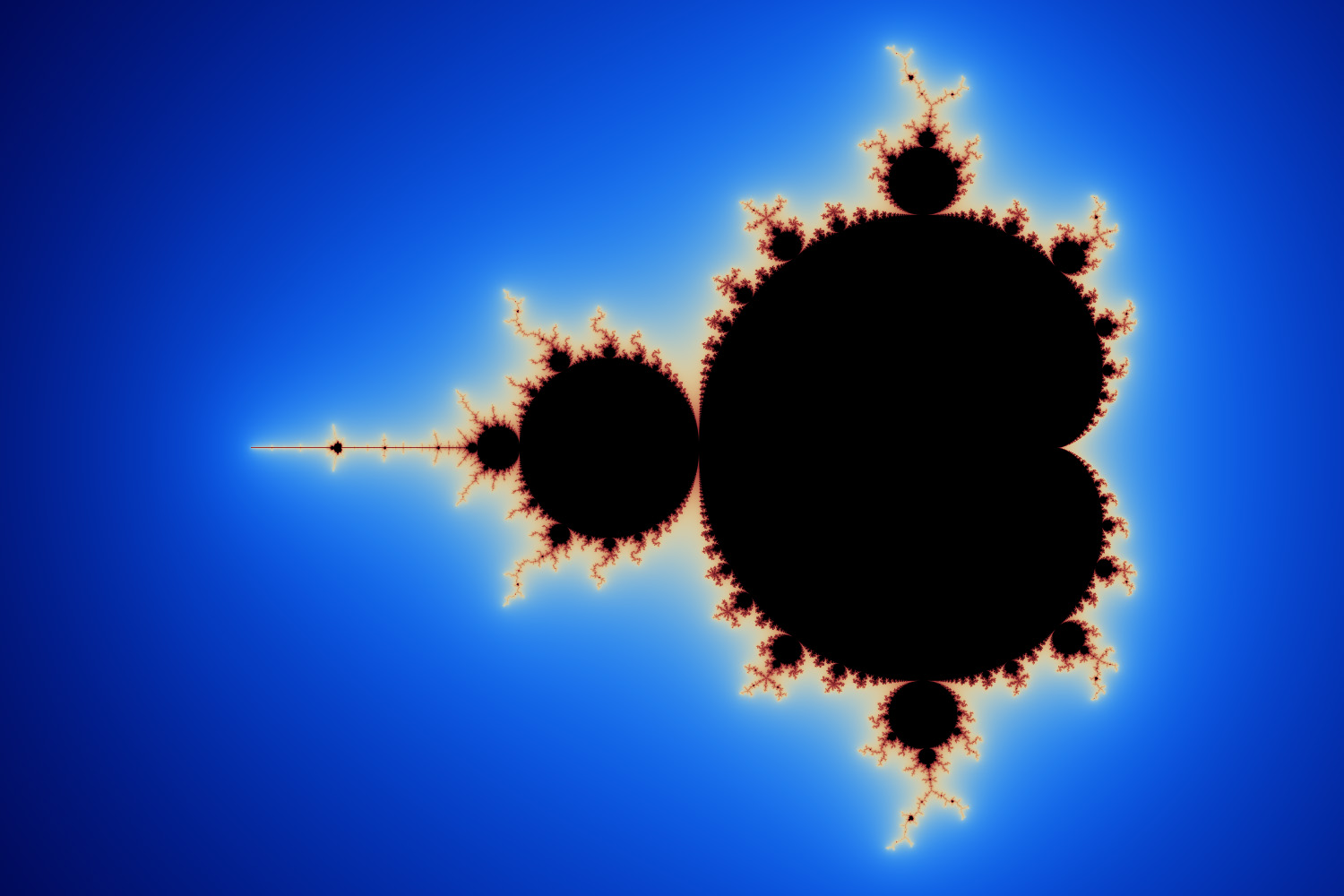
It renders the Mandelbrot set as a full-color, anti-aliased, 1500×1000 image. Click to enlarge:
No third-party libraries are required — just pure Python. However, it will only run on Python 2.5 – 2.7; Python 3 is not supported. The output file is written to M.bmp, in Windows bitmap format.
It runs very slowly, taking about 18 minutes on my 1.86 GHz Core 2 Duo (or 9 minutes using PyPy). With some modifications, it’s possible to make this code run up to 20 times faster. However, doing so requires sacrificing either code size or image quality.
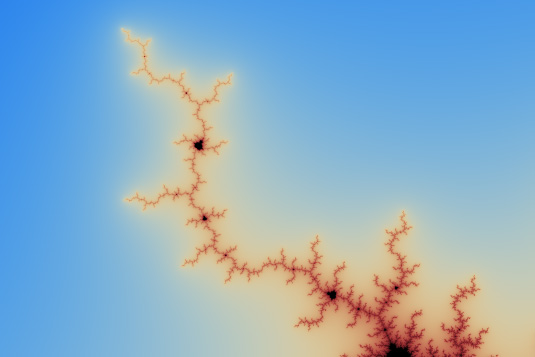
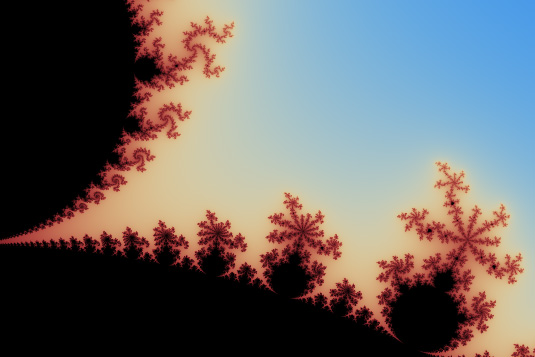
If you’re willing to leave the script running for a few hours, you can increase the image resolution on line 8. (Just make sure the width is divisible by 4.) The resulting detail is quite nice. Here are some 1:1 pixel excerpts from an image rendered at 7200×4800:


The entire 7200×4800 image is too large to share here, but it’s perfect for making prints. So that’s what I did! Notice the Python script superimposed in the lower-left corner. Is this the first poster to include its own source code?
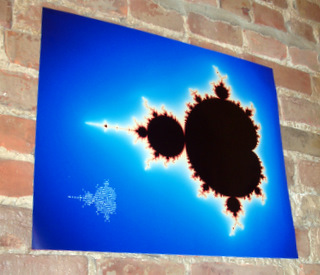
If this kind of thing gives you kicks, you can order your own print (or a coffee mug) at CafePress.


Now do a script which generates a svg file
Mandelbrot Fractals are inherently raster-oriented. An SVG representation would be woefully inefficient. Something like a Koch Snowflake, on the other hand, would be quite easy to represent as an SVG.
I think he was joking. I’m pretty sure an SVG of the Mandelbrot set would have an infinite size (since I don’t think SVG is able to compute it on-the-fly).
you can script SVG using ECMAScript (aka JavaScript), so it would be able to make a self assembling mandelbrot “image” in svg/js…
that would be amazing.
It may be a reasonable format for a trace of the boundaries of an estimate of the Mandelbrot set however.
Simply brilliant,I love it
Awesome. Am running one now to have printed up on canvas.
Very cool!
What would it take to port to Python 3.2? Change the string literal to a b’BM’ bytes literal and change the ‘/’ operations to ‘//’?
Here are the necessary changes for Python 3.2:
'BM'tob'BM'so that it’s valid to concatenate the result ofstruct.pack.ortoandsincewritenow returns an integer.lambdaexpression on line 12 must be converted toint, to satisfy the stricter type checking ofstruct.pack. (The original call topackis technically invalid, but works in Python 2 anyway.)Maybe sharing the large version through bittorrent would allow everybody to see it
+1 to this mail me the torrent
Maybe running the script will allow anyone to see it….
ASCII-art obfuscated program in the shape of the boundary of the Mandelbrot set which takes an argument of coordinates, and generates a new ASCII-art program zoomed by some factor on those coords which takes new coords to generate new programs ad infinitum.
Very cool, but how can you change the color from blue, to say some other color, or maybe change any of the other colors?
Ran some tests with CPython 2.6 from Ubuntu 10.10 64bits and PyPy 1.6 pre-built on a Core 2 Duo @2.8Ghz MacBook Pro. Image size was 7500×5000.
CPython: 2h46m
PyPy: 54m
OR we could achieve it twice as fast if we notice that it is… _symmetric_!
Yep, tried that! But every implementation increased code size, which ran counter to my goal of achieving the best image quality with the smallest code.
I achieved a 15,000×10,000 generation.
Trying 35,556×20,000 to get a 16/9 format……..
It doesn’t work for higher resolutions because the code apparently uses packed 1-byte integers.
I would not say this code pyTonyc but it is funny in it’s way. If you want to do reasonable fast Mandelbrot with Python you may grab Shedskin and try my example code Mandelbrot, also found in little different form in DaniWeb code snippets: http://www.daniweb.com/software-development/python/code/371844. At least it is more interactive.
ERROR: It gives a “SyntaxError: invalid syntax” in line 6 !!!
(I’m using Python 2.3, on Windows XP)
You’re right. It uses a conditional expression, which was introduced in Python 2.5. I’ll update the text.
estas pasado
Thanks for the code. I was amazed at first glance and in love at first run… hahaha
Generating now a 9999×6666 (to respect original ASCII art) on my Intel Core2 Quad CPU Q8300 @ 2.50GHz running a 64 bit Gentoo Linux box with python 2.7.1. I’ll let you know the approximate processing time.
Hi urcindalo. I should have mentioned it in the article, but the code requires the width to be a multiple of 4 — otherwise, the BMP data will have invalid alignment.
Yo dawg, I heard you like Mandelbrot so I put a Mandlebrot in your Mandlebrot so you can render it while you render it.
I’m trying to run this and the thumbnail seems to update properly, but when I try to view the image in Picture Manager it simply loads a red x, when I open it in MS Paint I get an error: “A Sharing violation occurred while accessing ”Desktop\M.bmp.” any thoughts as to the problem?
OK, so now it works. . . Seems that python still had a hold on the file and wouldn’t allow it to be accessed. Once I ran a new python script it released the file and I could view it properly.
COOL!
How can I get up and running with generating BMPs like this? I don’t really want to use PIL. Just something basic, like coloring pixels.
I would love if you would make a blog post explaining this and providing the obfuscated like you did for the penrose tiling.
I second the comment requesting an explanation similar to the penrose code you worked on,
I got a lot out of that. If you could give us some hints on the actual process of obfuscation, that could be
very useful as well.
There are various bits of information in the Reddit discussion. Not as organized as a blog post, but it might answer some questions for you…
This is surprising and brilliant…. love it
Very cool!
This is at least the second poster to contain its own source code, though.
Very interesting code. I’ve started to re-engineer the code above to the more readable format and see that author used many non-obvious python tricks in the code like:
(lambda: ‘do_something’)()
Very nice work, hope to see some other interesting realizations.
Hi,
I would like to test the Python script but I can“t find the link. Can anyone tell me, where I can find the script?
Thanks in advance.
Hi Jeff, really original work. Loved it! I still can’t work it out but it ran fine.
Hi Jeff,
I don’t know about this ASCII art. Can you please email me the actual code. Thanks a lot.
all posts
If you like this blog, and you've found the posts valuable to you in some way, consider leaving a tip!
© 2011-2012 Jeff Preshing. Powered by WordPress.